

 Recommended5 variants


 Recommended2 variants
 Recommended3 variants



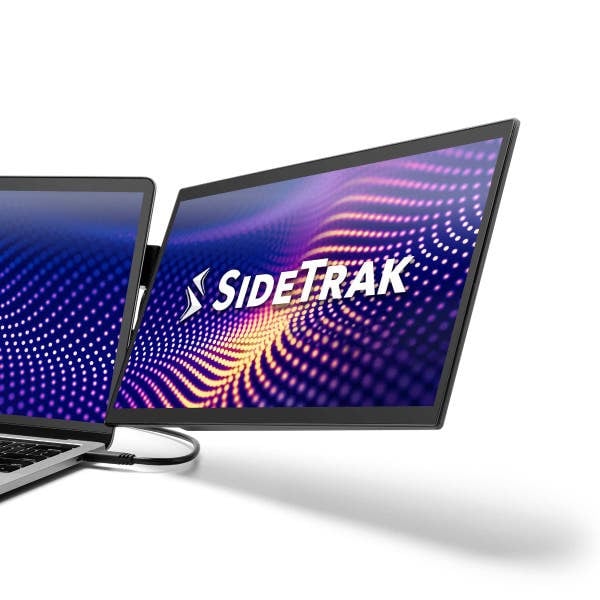
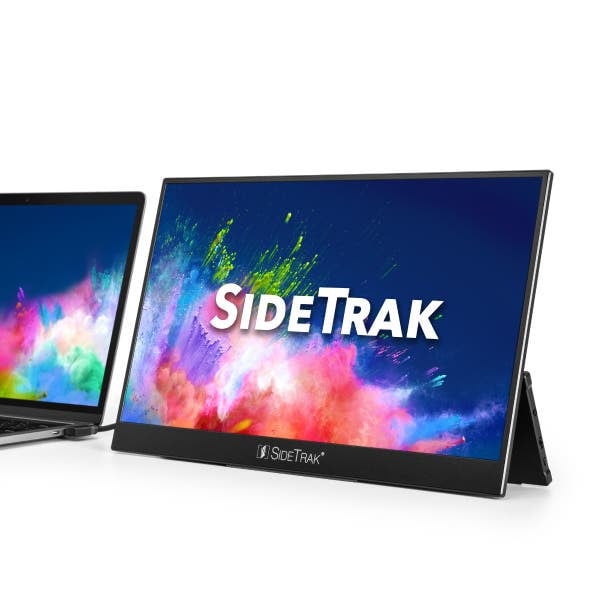
The SideTrak HD series offers a versatile range of portable monitors tailored for convenience and productivity on-the-go. With the SideTrak Solo Pro HD 15.8" monitor, users benefit from a freestanding design suitable for on-the-go professionals who crave versatility without compromise. Not only does it impress with a sleek build measuring 14” W x 9” H x 0.4” D, but it also ensures top-notch image quality for all your business or leisure needs.
Meanwhile, the SideTrak Swivel HD monitors provide an attachable option, perfect for those looking to enhance their setups with dual-screen functionality. Whether you choose the Swivel HD at 12.5" or its Triple HD counterpart, these portable solutions are designed for seamless integration, requiring no more space than the average book. Compact, lightweight, and exceptionally clear, each model proudly stands by its promise of mobility without sacrificing clarity or functionality. Dual-options and vibrant displays mean unparalleled user experience for anyone needing efficient-output solutions.
The SideTrak HD series offers a versatile range of portable monitors tailored for convenience and productivity on-the-go. With the SideTrak Solo Pro HD 15.8" monitor, users benefit from a freestanding design suitable for on-the-go professionals who crave versatility without compromise. Not only does it impress with a sleek build measuring 14” W x 9” H x 0.4” D, but it also ensures top-notch image quality for all your business or leisure needs.
Meanwhile, the SideTrak Swivel HD monitors provide an attachable option, perfect for those looking to enhance their setups with dual-screen functionality. Whether you choose the Swivel HD at 12.5" or its Triple HD counterpart, these portable solutions are designed for seamless integration, requiring no more space than the average book. Compact, lightweight, and exceptionally clear, each model proudly stands by its promise of mobility without sacrificing clarity or functionality. Dual-options and vibrant displays mean unparalleled user experience for anyone needing efficient-output solutions.
1. How do I connect the SideTrak monitor to my laptop?
You can connect the SideTrak monitor to your laptop using the included USB or HDMI cables. Simply plug it into the respective ports, and it should be ready for use.
2. Is the SideTrak monitor compatible with all laptops?
The SideTrak monitors are designed to be compatible with most laptops that have USB or HDMI ports. Ensure your device supports these connections for optimal use.
3. Can the SideTrak monitor work independently without a laptop?
The SideTrak monitors are designed primarily as secondary displays for laptops. They require a connection to a primary device to function.

Similar products to the one you are viewing.
Similar Product Similar Product4 variants
 Similar Product4 variants
 Similar Product4 variants
 Similar Product3 variants
 Similar Product12 variants
 Similar Product2 variants
 Similar Product